LDAP Users and Groups for API Authentication and Authorization
Authentication and authorization are two fundamental parts of API security. Authentication establishes the identity of a caller, while authorization determines what that authenticated identity is permitted to access.
LDAP can provide a directory for identities and group memberships. An application can authenticate a user against the directory and then use the user's LDAP group memberships as input to its authorization decisions.
This walkthrough focuses on the directory setup required for that model:
- Create a user in LDAP
- Create a group in LDAP
- Add a user to the group
If you want to run OpenLDAP locally, see Setup OpenLDAP on Mac OS X. This example uses Apache Directory Studio with ApacheDS 2.0.0. The directory concepts are also applicable to other LDAP servers, although product-specific screens and configuration details can differ.
Create an LDAP Server
- Open the LDAP Servers tab, right-click, and select New → New Server.
- Select ApacheDS 2.0.0 LDAP Server and click Finish.
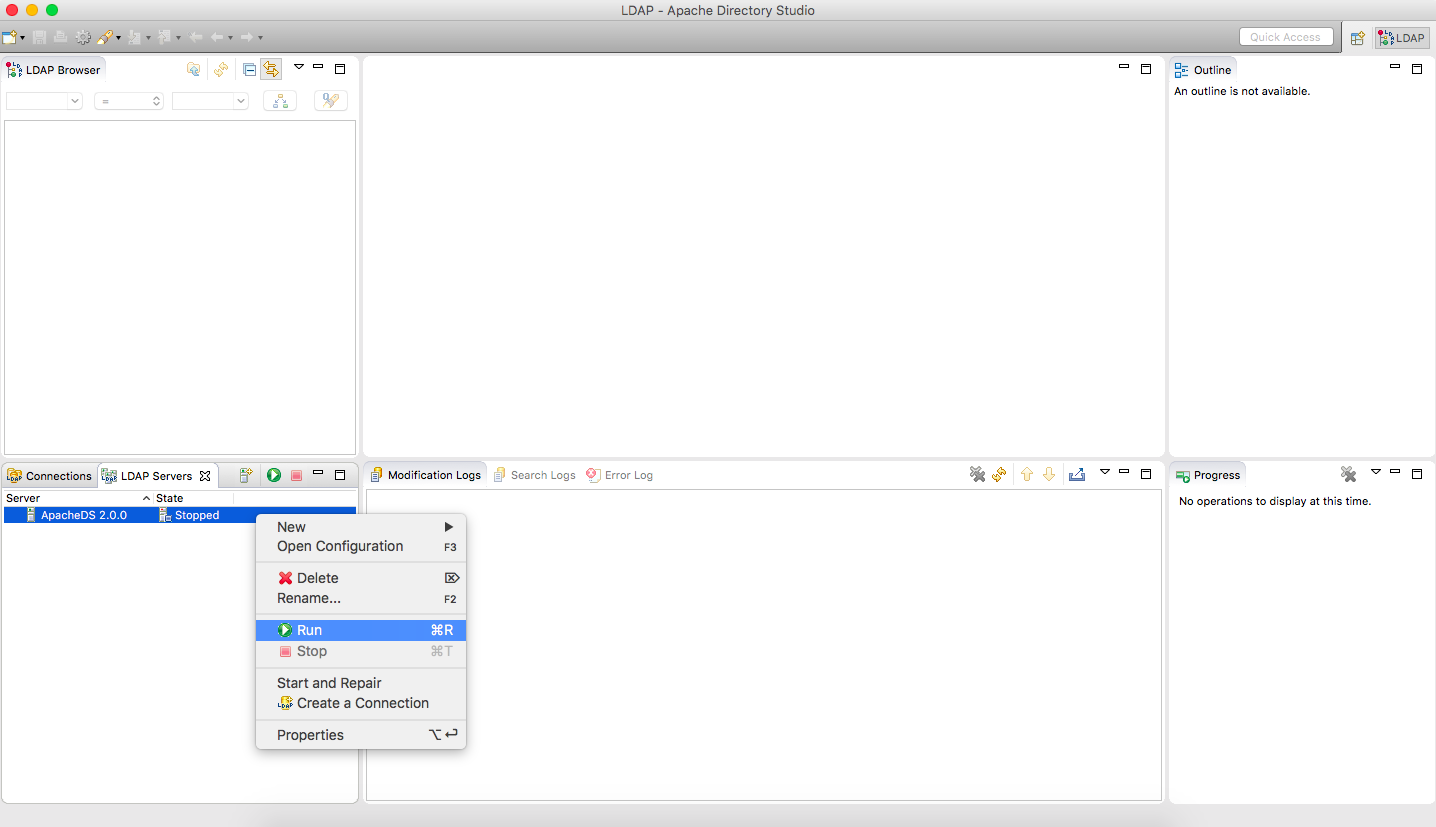
- The newly created server initially appears in the Stopped state.
- Right-click the server and select Run to start it.
Create a Connection
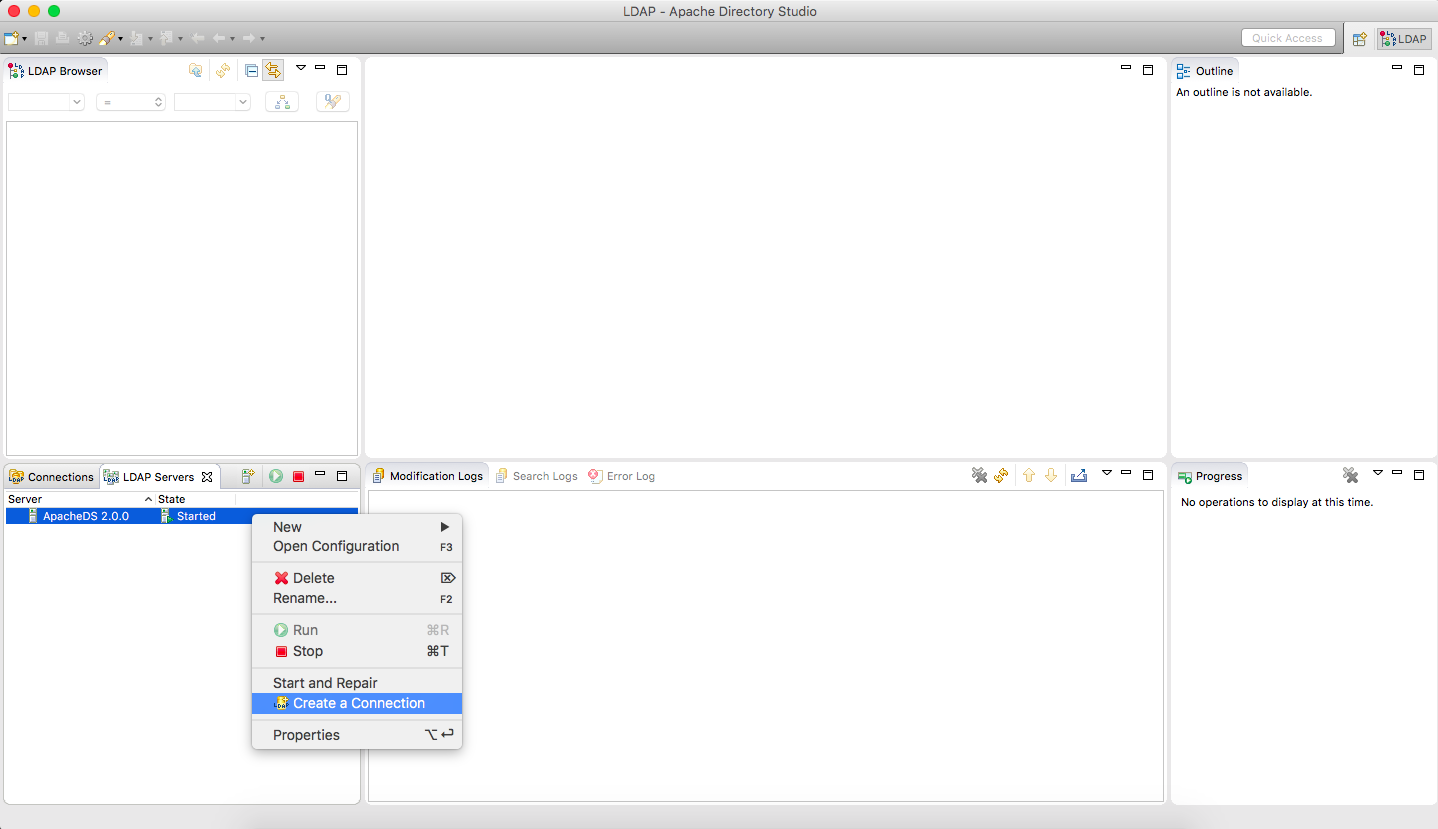
- Confirm that the server is running and its state is Started.
- Right-click the server and select Create a Connection.
- Apache Directory Studio creates the connection and displays a confirmation.
Create Organizational Units
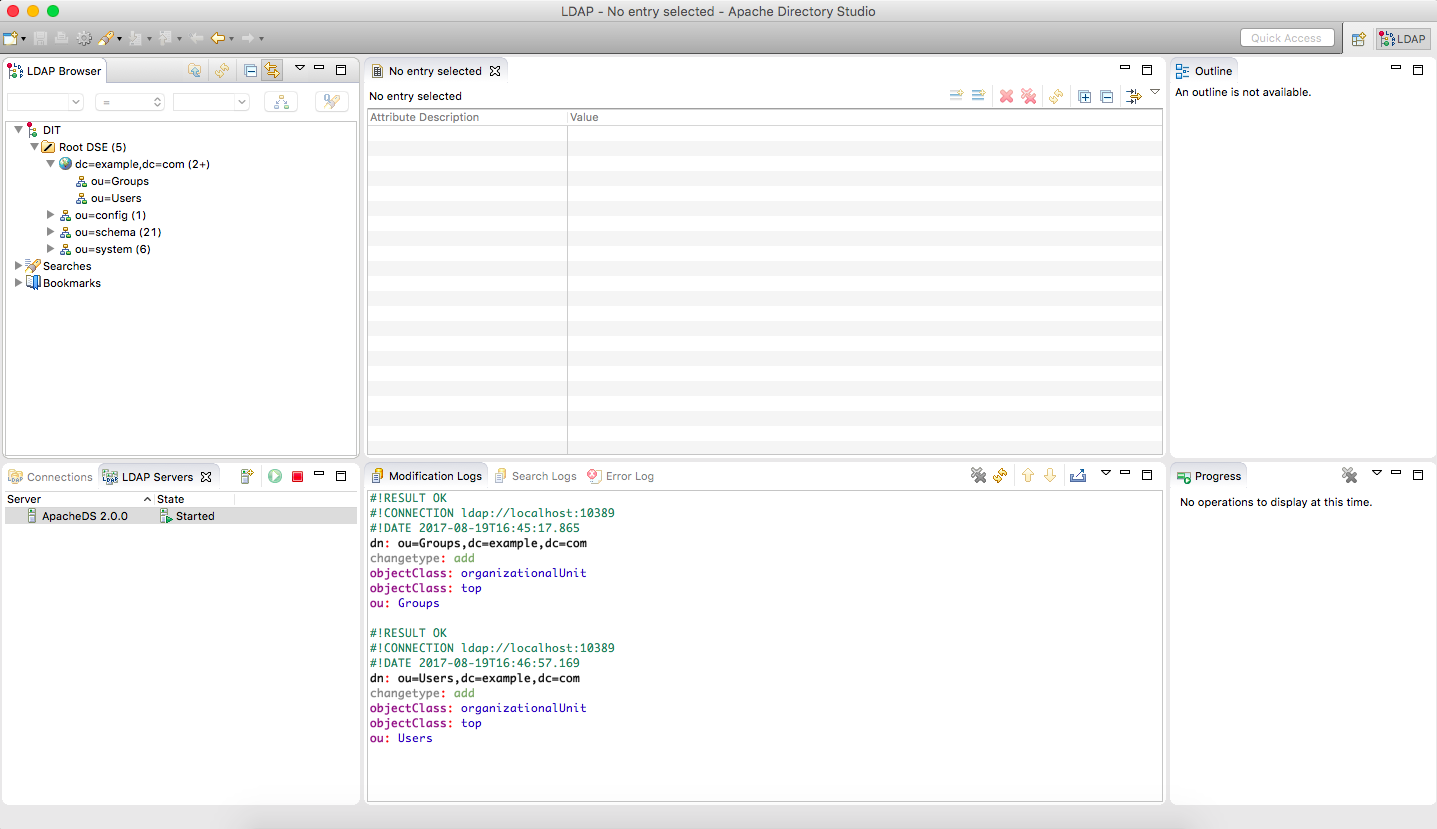
Create separate organizational units for users and groups so the directory structure remains easy to understand.
- Select Root DSE.
- Right-click dc=example,dc=com.
- Select New → New Entry.
- Choose Create entry from scratch and click Next.
- Select the organizationalUnit object class, click Add, and then click Next.
- Set the RDN attribute to ou.
- Set its value to Groups and continue.
- Click Finish to create the Groups organizational unit.
- Repeat the process to create an organizational unit named Users.
Create Users
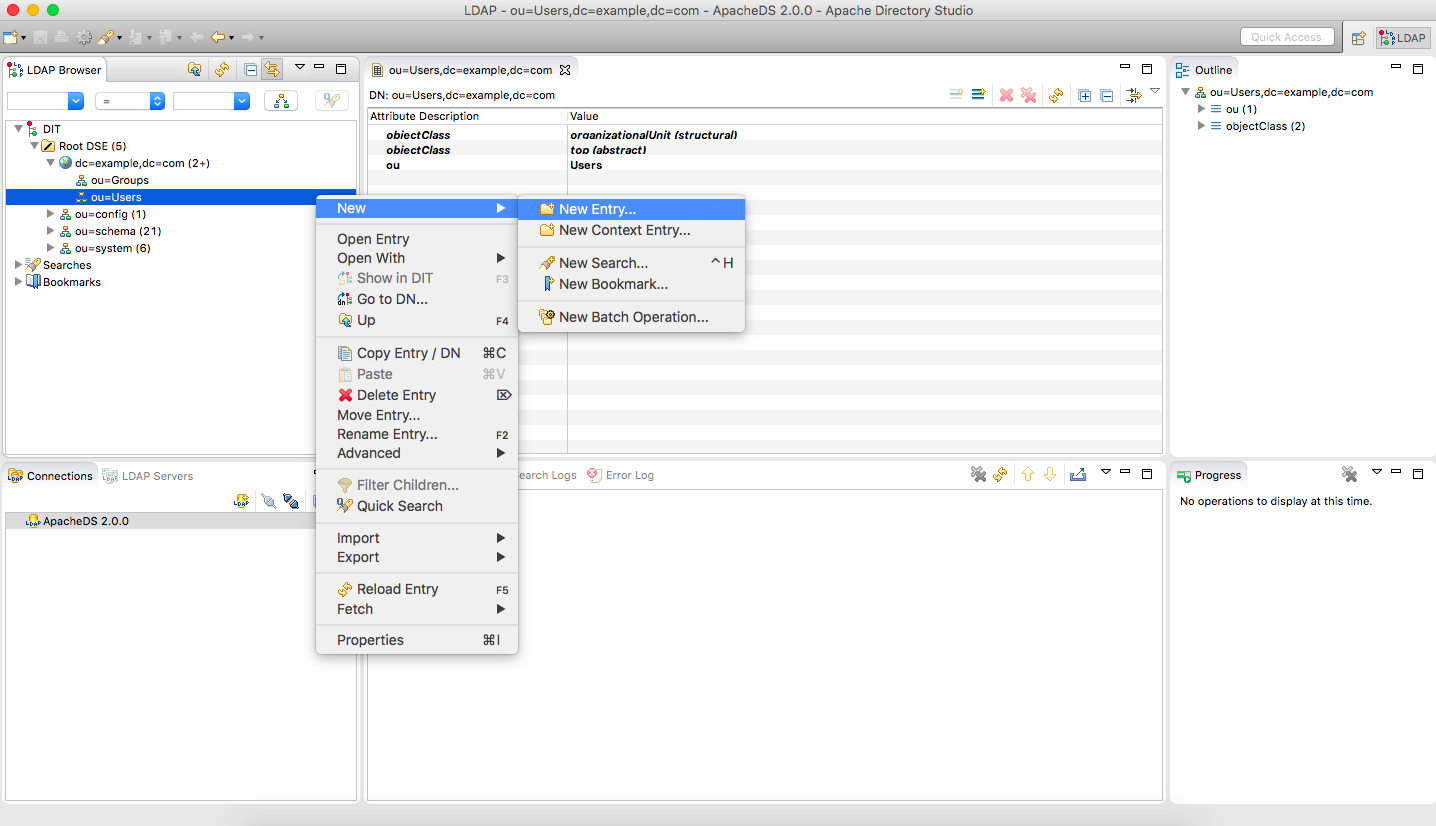
- Right-click ou=Users and select New Entry.
- Choose Create entry from scratch and click Next.
- Add the inetOrgPerson object class and continue.
- Set the RDN to cn with the value sample_usr_1.
- Set sn to sample_usr_1.
- Add a uid attribute with the value sample_usr_1.
- Add the userPassword attribute and configure the user's password.
- Click Finish.
The resulting distinguished name is:
cn=sample_usr_1,ou=Users,dc=example,dc=com
Repeat these steps if you need additional test users.
Create a Group and Add a Member
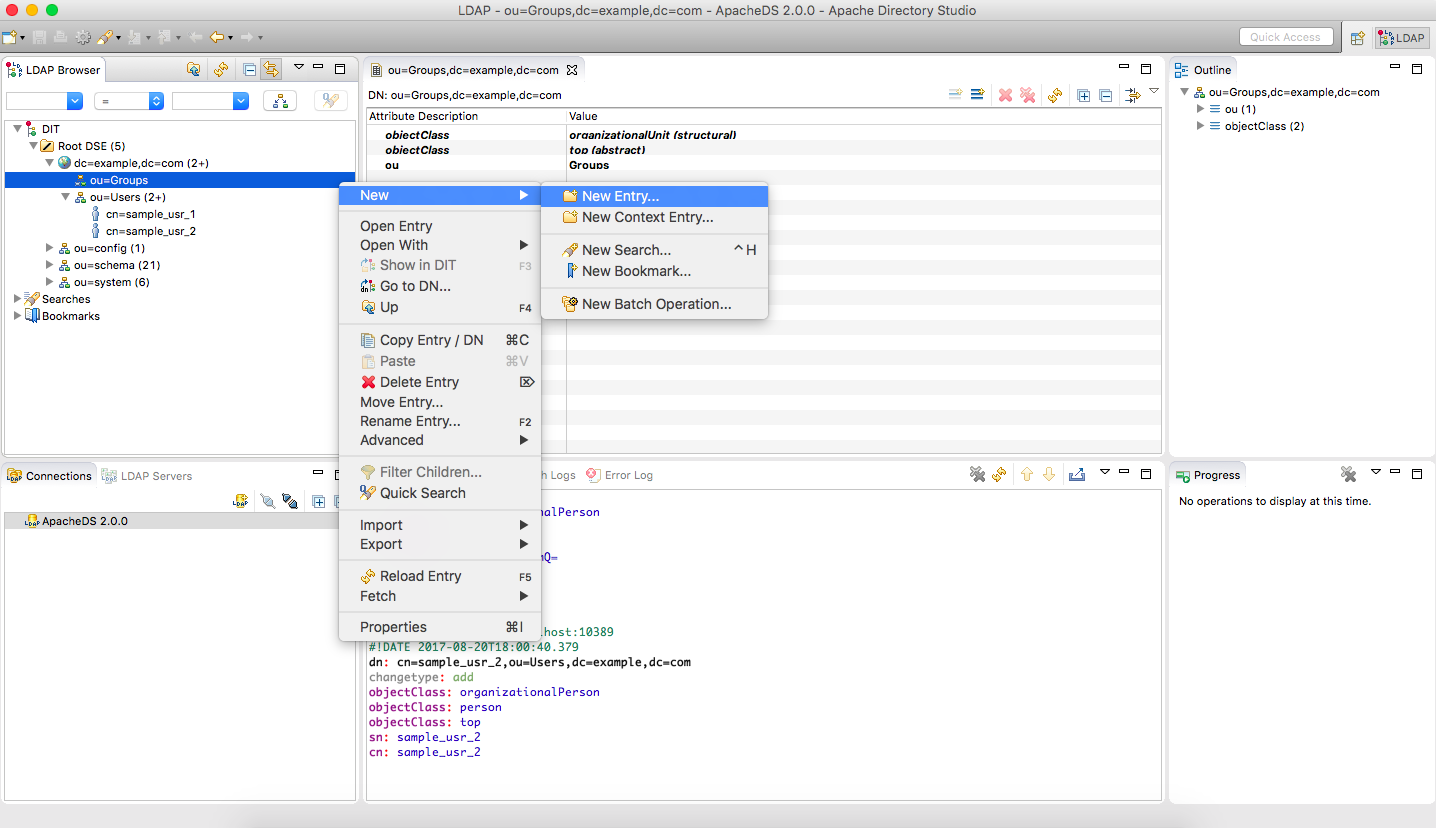
- Right-click ou=Groups and select New Entry.
- Choose Create entry from scratch and click Next.
- Add the groupOfUniqueNames object class.
- Configure the entry name for SAMPLE_GRP and continue.
- Set cn to SAMPLE_GRP.
- For uniqueMember, provide the distinguished name of the user you created earlier:
cn=sample_usr_1,ou=Users,dc=example,dc=com
- Click Finish.
- Repeat the membership step for any additional users that should belong to the group.
How This Supports API Security
At this point, the directory contains the basic identity information needed by an application: users, groups, and group memberships. An API or application can authenticate credentials against LDAP, retrieve the authenticated user's group memberships, and map those groups to application-specific permissions or roles.
The important distinction is that LDAP supplies identity and directory information; the application remains responsible for interpreting that information and enforcing its authorization rules.
More practical engineering notes
Browse the complete library or explore architecture-focused Deep Dives.